Your Profile & Settings
The Profile tab is home base: your points and level, everything you’ve contributed, your shareable stats card, and the app’s settings.
Your profile
Your profile shows your username, avatar (a photo or an emoji), your points and level, and your contribution history: reviews, info updates, and gyms added. Other users see your public profile when they tap your name on a review or the leaderboard.
The Profile Card
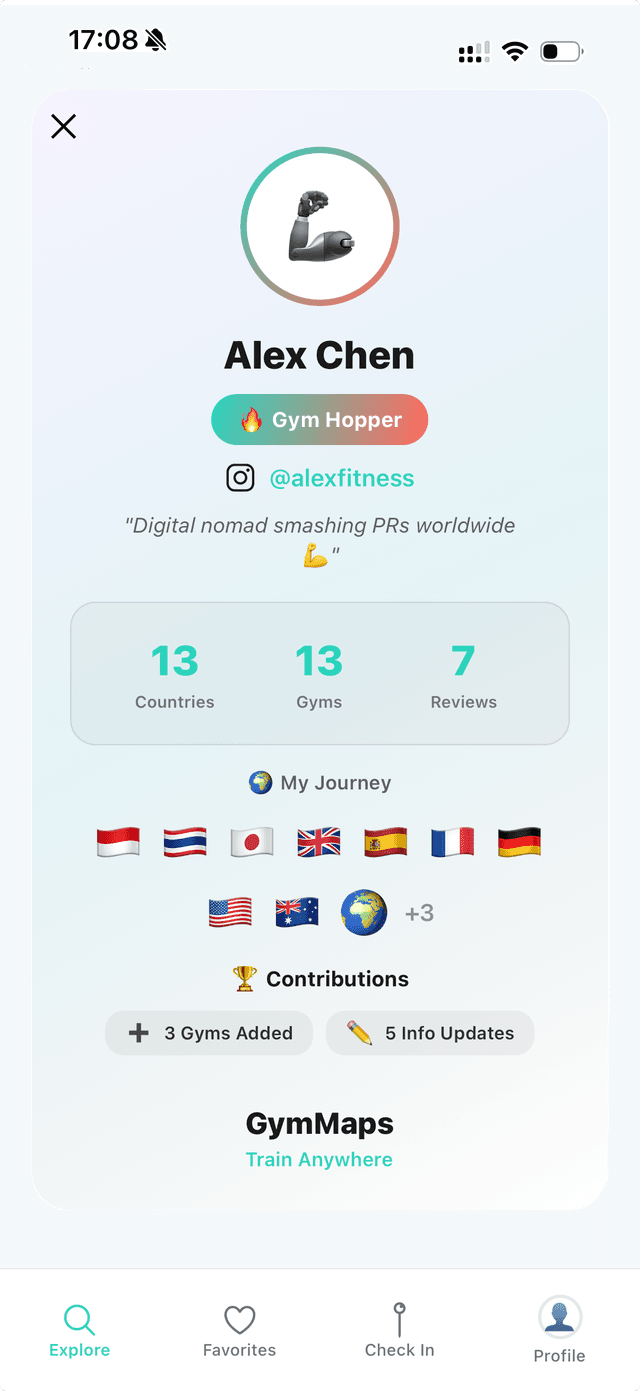
Generate a stats card summarising your training travels in one image:
- Gyms visited, countries, and cities, taken from your Passport
- Stamps collected
- Gyms added, info updates, and reviews
- Total contributions
It’s made to be screenshotted and shared: your training year in one card.
Settings
| Setting | What it does |
|---|---|
| Dark mode | Toggle the whole app between light and dark themes. |
| Preferred currency | Choose from 26 currencies, and every gym price in the app converts automatically at live rates. |
| Edit profile | Change your username, avatar photo, or profile emoji. |
| Email & password | Update your sign-in email or change your password. |
| Mailing list | Subscribe for updates (worth +10 points). |
Account & data
You can delete your account from within the app at any time. Your personal data is removed and your contributions are anonymised, so the equipment lists and corrections you added keep helping other travellers, without your name attached. Full details in the privacy policy.
The in-app blog
GymMaps includes a built-in feed of articles from the GymMaps blog (training-travel guides, city gym roundups, and app news), readable right inside the app.
Try it in the app
GymMaps is free on iOS and Android. Find gyms, equipment lists, and day pass prices wherever you go.